
Plan services before cars miss a booking
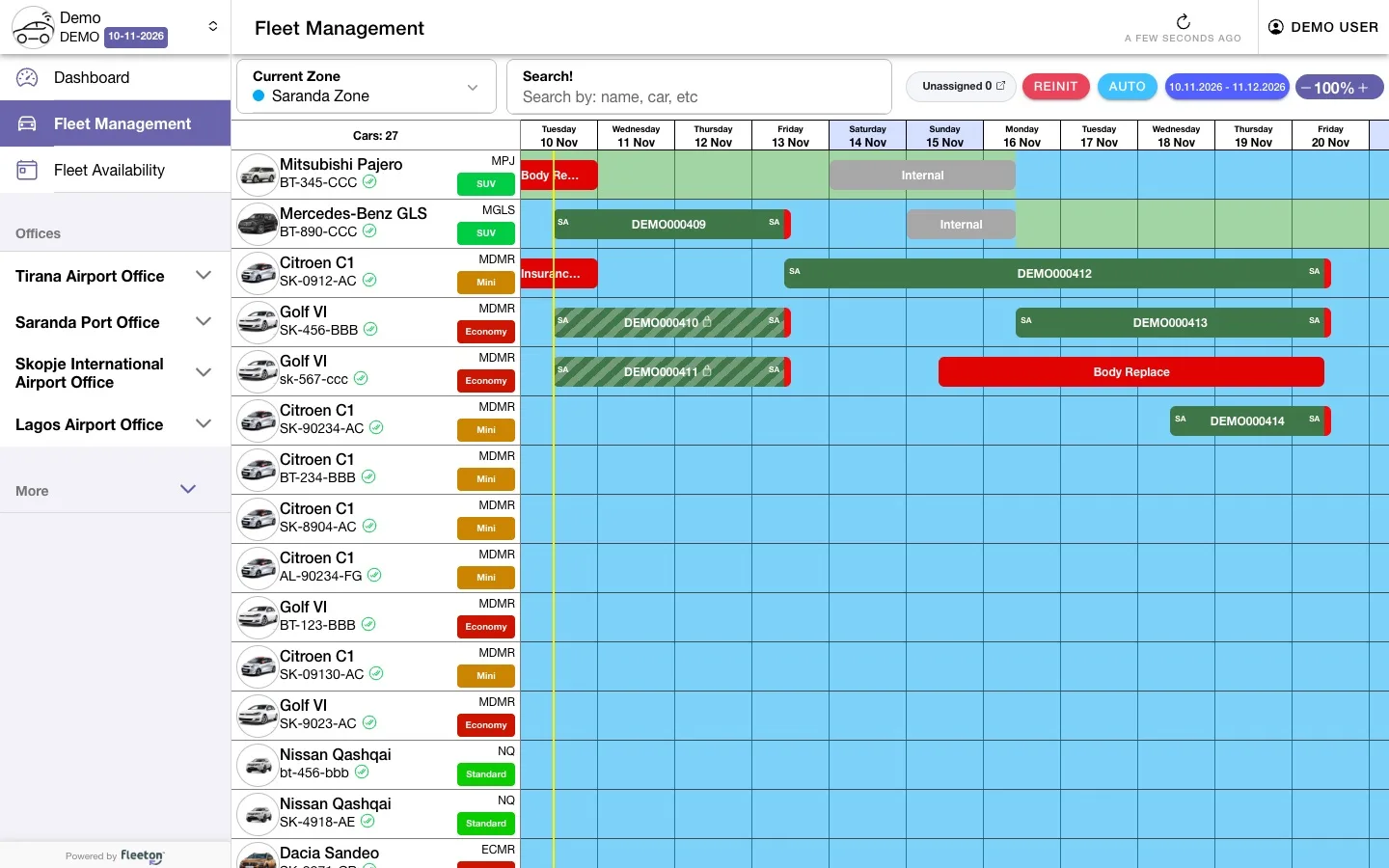
Services by date or mileage, and repairs blocked on the fleet timeline so nobody books a car in the workshop.
What is due, across the whole fleet
Services by date or by kilometres in one list. Blocking jobs take the car out of sale until they are done.
- Date-based and distance-based services
- Mileage from the GPS device with Tracking
- Export to PDF or Excel
| Car | Service | Due | Blocks sale |
|---|---|---|---|
| VW Golf · AA-214-TR | Vehicle inspection | Today | Yes |
| Toyota Corolla · AA-388-TR | Oil change | in 450 km | Yes |
| Dacia Duster · AA-102-SR | Tyre change | in 3 days | Yes |
| Audi A3 · AA-551-TR | Body scratch | in 28 days | No |
Keep the fleet on the road
Upcoming services
Due today, in 7 days or in 28 days, and by mileage.
Out of service
Repairs and inspections block the car on the timeline.
Maintenance types
Define your own service types and intervals.
Rules by fuel type
Separate service plans for petrol, diesel and electric cars.
Legal inspections
Recurring inspections are planned and block the car until they are done.
Mileage from the car
With Tracking, mileage comes from the GPS device, so services follow real kilometres.
Know what each car costs
Car profit reports and office expenses show which cars earn and which cost.
Damage history
Every damage file stays in the car's history, part by part.
From due date to back on the road
Maintenance follows your rules, and bookings never land on a car in the workshop.
Set the rules
Service types and intervals, by date or kilometres.
 Manager
Service due
The car shows up in upcoming services and on the dashboard.
 Frontdesk
- Tracking
Out of sale
A blocking job takes the car off the timeline until the work is done.
- Frontdesk
Back in service
The car is free to book again.
- Frontdesk
I cannot express how impressed I am with the FleetON car rental management system. It has completely transformed the way I rent cars. I highly recommend it!
 Vilson MurrajOperational Manager, RCA
- 20
- rental companies run on FleetON
- 10
- countries
- 7,500
- vehicles managed
- 5,000,000+
- API requests a month
Works together with
Every FleetON product shares the same fleet, bookings and prices. A booking made in one shows up in all of them, with no re-typing.
Manager
Where you set fleet, prices, fees and rules once, for every branch.
- Rate diagnose
- Scheduled reports
- Roles and permissions
Tracking
GPS tracking inside FleetON: live map, zones, alerts and mileage.
- Live map, geofences and border alerts
- Trip history
- Mileage-based services
Frontdesk
The daily workspace of your counter: bookings, handovers, returns and damage, on any device.
- Fleet timeline
- Digital signature on the contract
- Close the business day
Car maintenance questions
What rental companies ask before they switch. If your question is not here, we answer it in the meeting.
Can services be planned by mileage?
Yes. Services can be planned by date or by kilometres, and with Tracking the mileage comes from the car.
Can a car be blocked from booking while in the workshop?
Yes. Blocking maintenance jobs take the car out of sale on the fleet timeline until they are done.
Can I plan services for electric cars?
Yes. Petrol, diesel and electric cars each get their own service plans.
Are legal inspections covered?
Yes. Recurring inspections are planned and block the car until they are done.
Can I export the list of upcoming services?
Yes. Export it to PDF or Excel.
Start with a meeting. Run FleetON free for 2 months.
Tell us about your fleet. If FleetON fits, you get the full system free for 2 months.