
 Frontdesk
Run the rental counter from one screen
Deliveries, returns, reservations and the whole fleet timeline for every office, updated live.
See Frontdesk at work
Real screens from a demo rental company, on the devices your team uses.
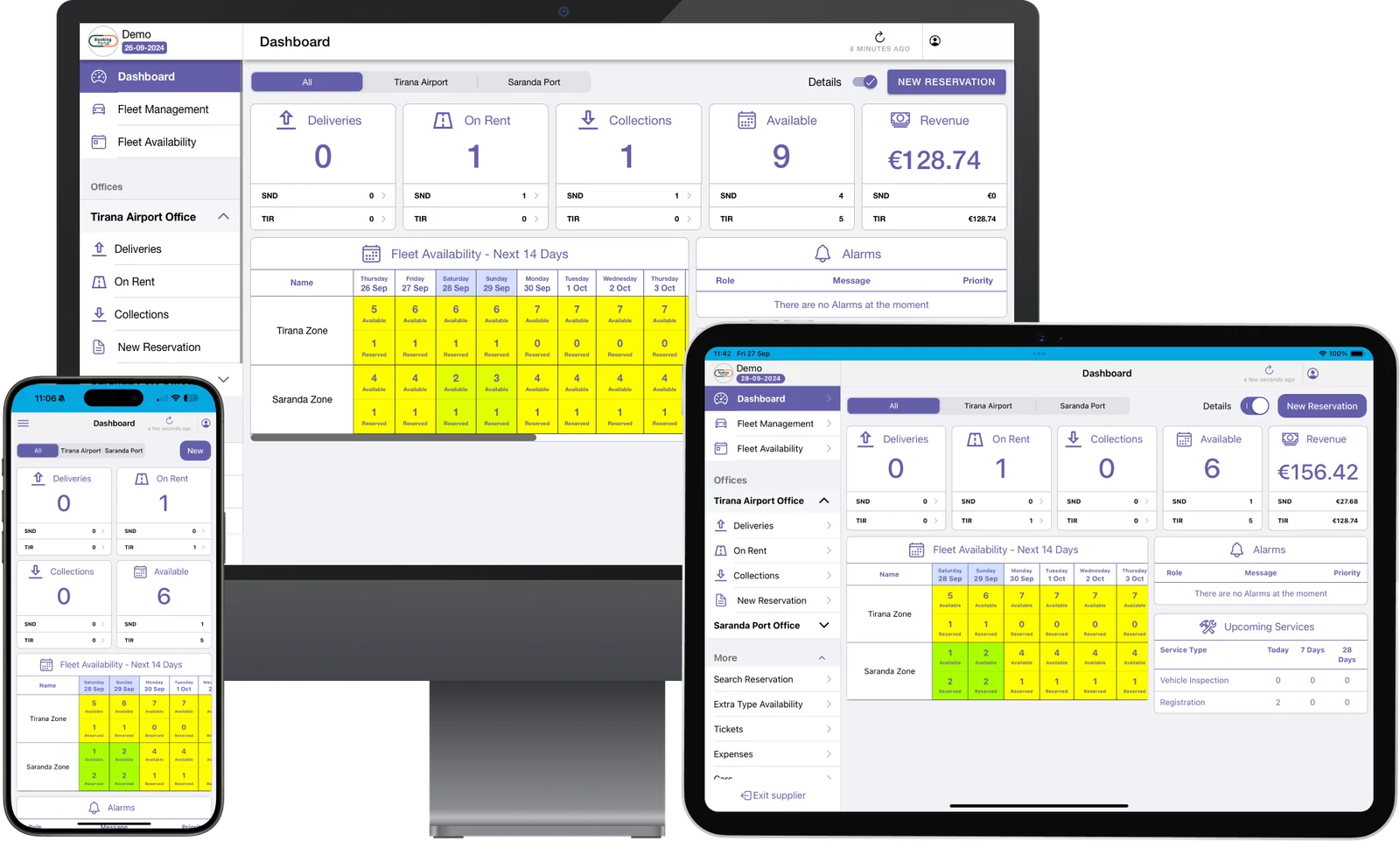
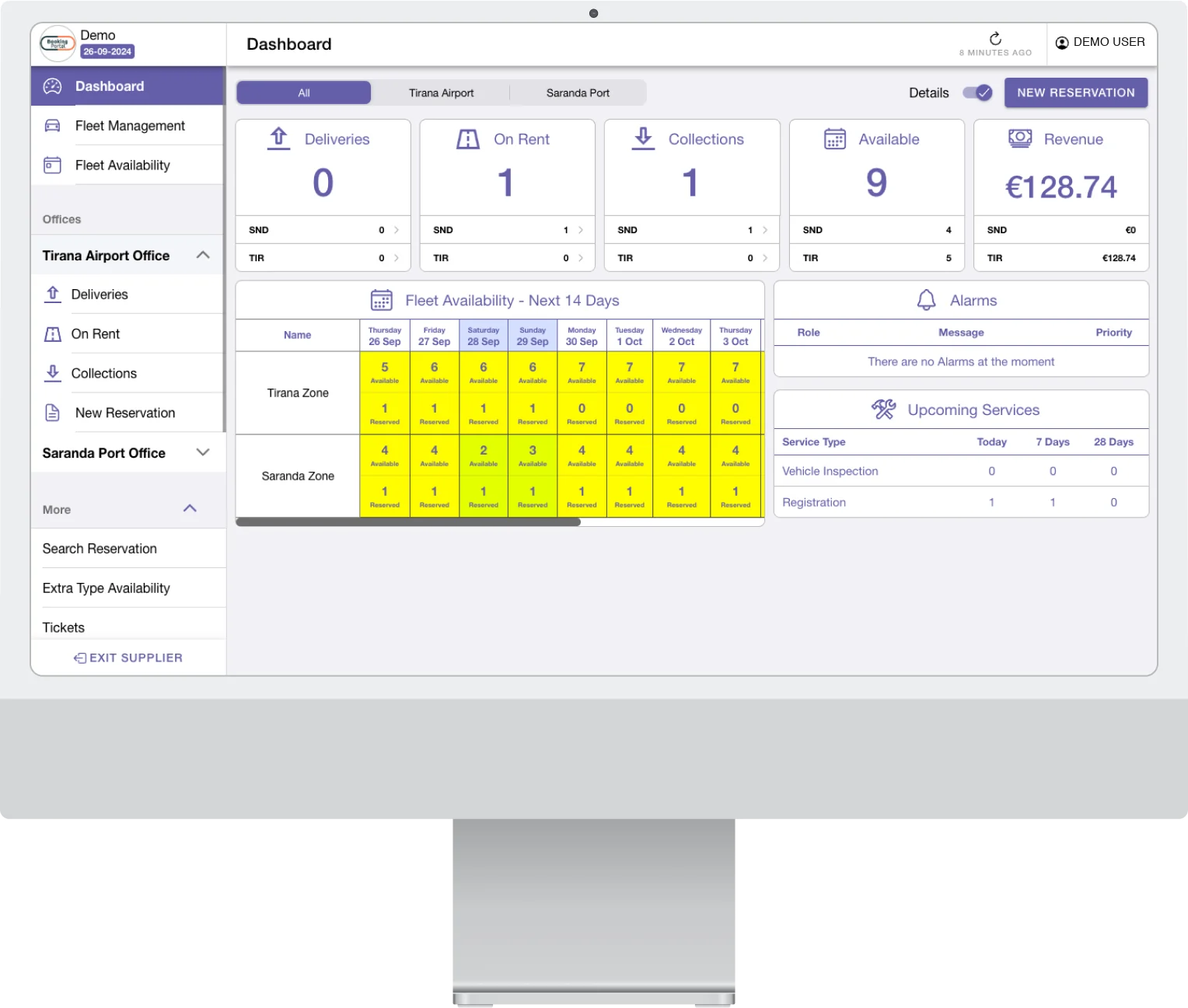
Deliveries, cars on rent, collections and revenue per office, with the fleet for the next 14 days.
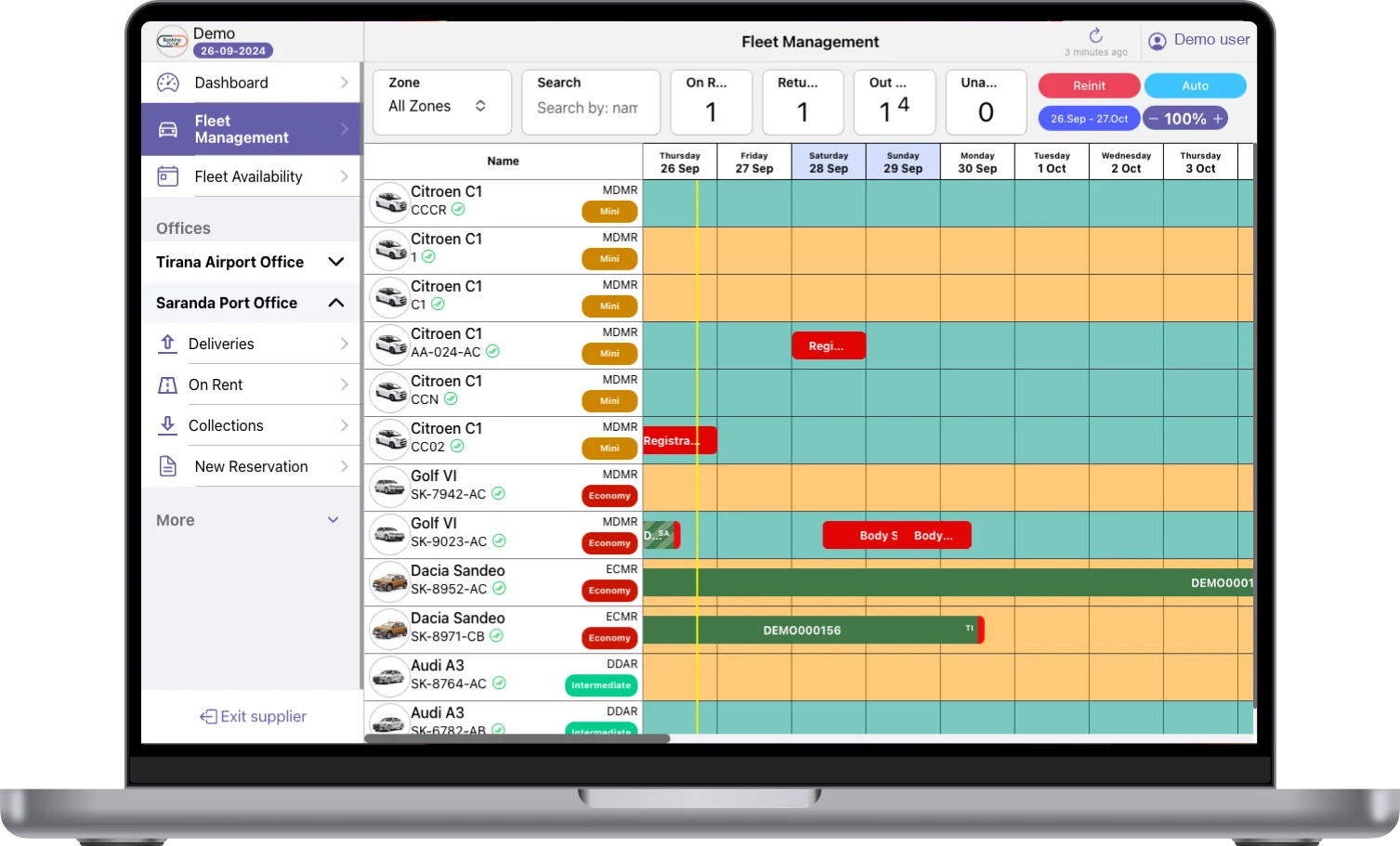
Every car and every booking on one timeline per zone, with repairs and out-of-service days.
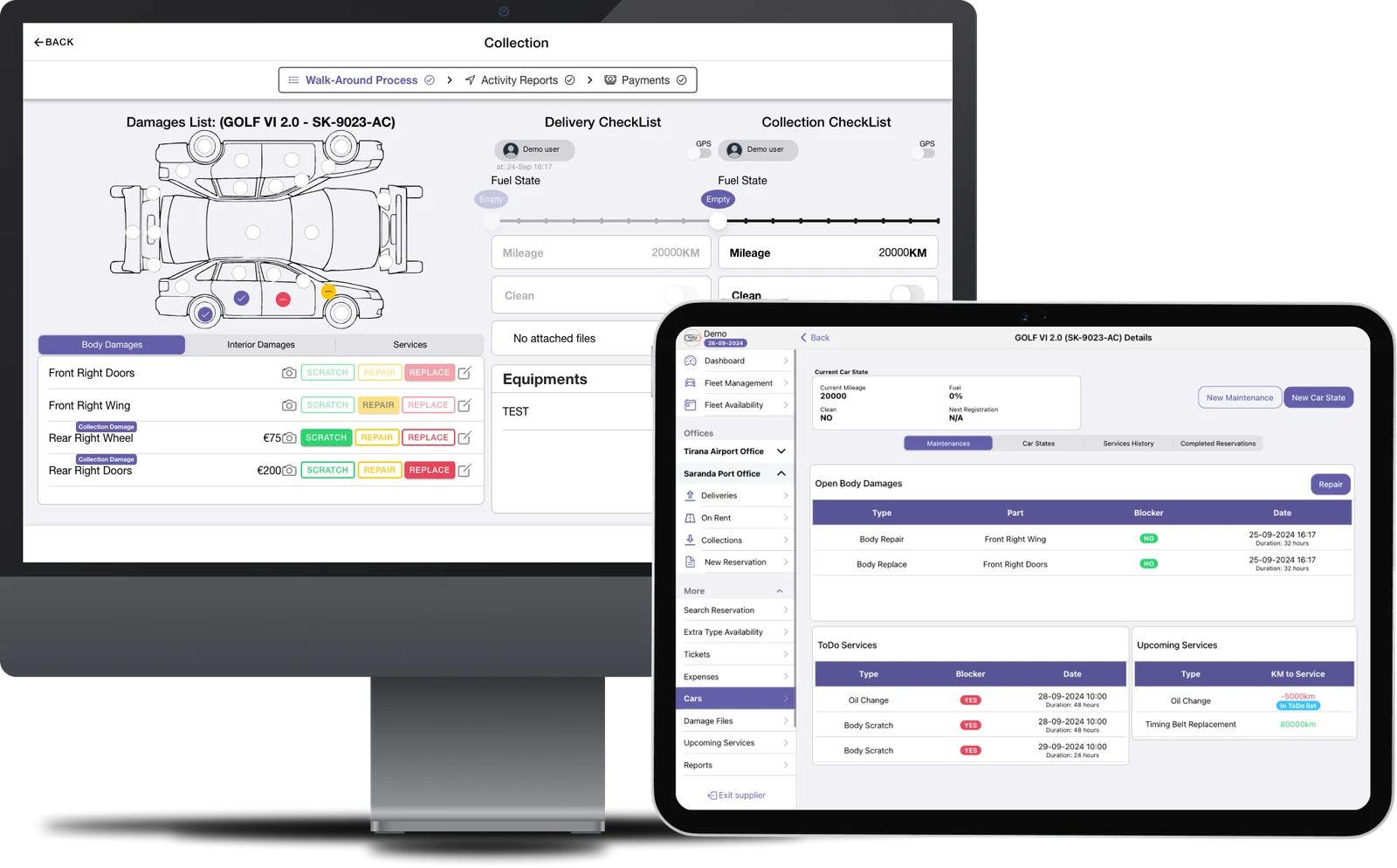
Walk around the car, record damage by car part and see the service history on a tablet.
Everything the counter team needs
Today at a glance
Deliveries, cars on rent, collections and revenue per office on the dashboard.
Fleet timeline
Every car and every booking on one timeline per zone, with repairs and out-of-service days.
Fast reservations
Pick office and dates, see available models with prices, and book in a few clicks.
Automatic car assignment
Cars are assigned to reservations across zones automatically, or prioritised by mileage and year.
Collection report by email
If the customer returns the car while nobody is at the desk, the collection report is emailed to them.
Driver records
Documents, driving licence, contact details and remarks stored with each driver.
Deliver and collect
Hand cars over and take them back with the contract and folio in one place.
Damage at return
Tap the damaged car part: the price is calculated and saved to the car and booking history, with photos.
Alarms and services
See alarms and upcoming services by date or mileage before they become problems.
Pre-checked-in customers
Customers who checked in online arrive with their details already in the booking.
Folio and deposits
Charges, deposit, payments and the open balance of every booking on one screen.
Find any booking
Search by confirmation number, driver name, plate or date, across all offices.
Close the business day
Check the bookings still open today, then close the day for each office.
Expenses and tickets
Record office expenses and open tickets on a booking, so nothing is lost between shifts.
Extras availability
See how many baby seats, child seats and other extras are free on each day.
Contracts, damage files and deposits without paper
Handover and return follow the steps you set: select the car, take payment, walk around the car, sign the contract. Damage is recorded by car part and charged according to the customer's insurance.
- Digital signature on the contract
- Contract and voucher with your own terms
- Damage file you can email or download
- Charge capped by the insurance cover
- Audit log on every booking
A rental day at the counter
From the booking on the timeline to the closed business day, in one screen.
Booking on the timeline
Bookings from every channel land on the fleet timeline of the right office.
- Frontdesk
Handover
Customers who checked in online are ready. Take payment and deposit, walk around the car, sign the contract.
- Frontdesk
 Booking Portal
On rent
Alarms and upcoming services stay in view while the car is out.
- Frontdesk
- Tracking
Return and close
Record damage by car part, settle the folio, then close the business day.
- Frontdesk
 Manager
I cannot express how impressed I am with the FleetON car rental management system. It has completely transformed the way I rent cars. I highly recommend it!
 Vilson MurrajOperational Manager, RCA
- 20
- rental companies run on FleetON
- 10
- countries
- 7,500
- vehicles managed
- 5,000,000+
- API requests a month
Works together with
Every FleetON product shares the same fleet, bookings and prices. A booking made in one shows up in all of them, with no re-typing.
Booking Portal
Your own booking website with live availability, your prices and online self-service.
- A page for every location
- Online pre-check-in
- Languages and currencies
Manager
Where you set fleet, prices, fees and rules once, for every branch.
- Rate diagnose
- Scheduled reports
- Roles and permissions
Tracking
GPS tracking inside FleetON: live map, zones, alerts and mileage.
- Live map, geofences and border alerts
- Trip history
- Mileage-based services
Frontdesk questions
What rental companies ask before they switch. If your question is not here, we answer it in the meeting.
Can several offices use Frontdesk at the same time?
Yes. Each office sees its own deliveries and collections, and managers see all offices together.
Does Frontdesk work on a tablet?
Yes. Frontdesk works on a PC, a tablet or a phone, with minimal training.
Can Frontdesk assign cars automatically?
Yes. Cars are assigned to reservations across zones automatically, and staff can change the car or prioritise by mileage and year.
How is damage recorded at return?
Staff select the damaged car part and add photos. The price comes from your damage prices and the customer's insurance, and the damage file can be emailed or downloaded.
Do customers sign the contract on paper?
No. The contract is signed digitally at handover, with your own terms on the contract and the voucher.
Start with a meeting. Run FleetON free for 2 months.
Tell us about your fleet. If FleetON fits, you get the full system free for 2 months.