
 AIon
An AI assistant that changes bookings for you
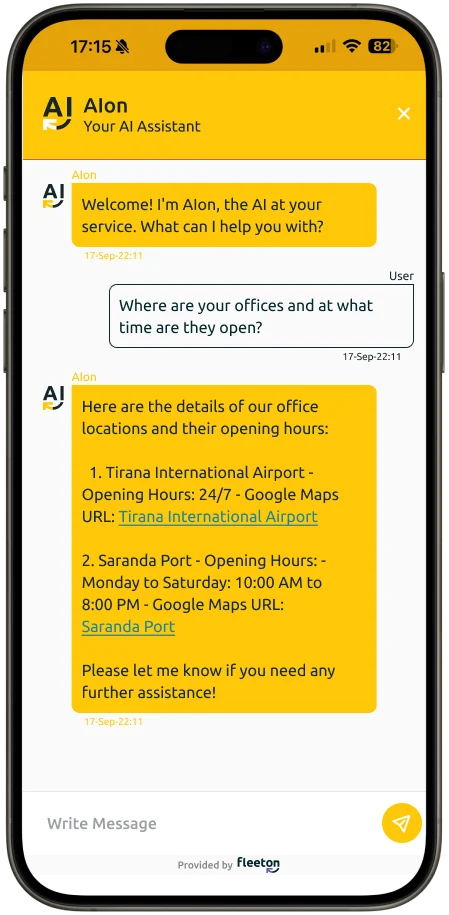
Customers ask in chat. AIon makes the change in the reservation.
How AIon changes a booking
The customer asks once. AIon does the rest inside the reservation.
Ask
The customer writes in the chat on your Booking Portal.
 Booking Portal
Find
AIon finds the booking and checks availability and price.
- AIon
Confirm
AIon shows the new dates or car and the new total, and asks to confirm.
- AIon
Done
The booking is updated in FleetON and a new confirmation is sent.
- AIon
 Frontdesk
What AIon does
Four booking changes your customers can make in chat today, and four ways AIon will help your team inside FleetON next.
Extend or shorten a rental Available now
New dates and the new price, confirmed in the chat.
Cancel a reservation Available now
Following your cancellation policy.
Change customer details Available now
Name, contact and driver details updated on the booking.
Change the car model Available now
Switches to another available model and shows the price difference.
Support Coming soon
Answers for your staff while they work.
Upselling Coming soon
Suggests upgrades and extras at the right moment.
Reporting Coming soon
Ask questions about your numbers in plain language.
Problem diagnosis Coming soon
Finds why a rate or a car is not showing.
This company has developed an amazing car rental management system. The team is responsible and ready to assist you 24/7.
- 20
- rental companies run on FleetON
- 10
- countries
- 7,500
- vehicles managed
- 5,000,000+
- API requests a month
Works together with
Every FleetON product shares the same fleet, bookings and prices. A booking made in one shows up in all of them, with no re-typing.
Booking Portal
Your own booking website with live availability, your prices and online self-service.
- A page for every location
- Online pre-check-in
- Languages and currencies
Frontdesk
The daily workspace of your counter: bookings, handovers, returns and damage, on any device.
- Fleet timeline
- Digital signature on the contract
- Close the business day
AIon questions
What rental companies ask before they switch. If your question is not here, we answer it in the meeting.
What can AIon do today?
Extend or shorten a rental, cancel a reservation, change customer details and change the car model, inside the reservation.
Where do customers talk to AIon?
In the chat on your Booking Portal.
Does AIon follow my prices and policies?
Yes. AIon uses your availability, rates and cancellation policy, and shows the new total before the customer confirms.
Does the customer get a new confirmation?
Yes. The booking is updated in FleetON and a new confirmation is sent.
What is coming next?
Support, upselling, reporting and problem diagnosis inside the product.
Start with a meeting. Run FleetON free for 2 months.
Tell us about your fleet. If FleetON fits, you get the full system free for 2 months.