
Every branch on one live fleet
City offices, airport desks and pick-up points on one fleet. See availability across zones, so cars go where the bookings are.

Run branches as one business
Zones and offices
Group offices into zones that share a fleet.
One-way rentals
Return to another office, with one-way fees set once.
Branch dashboards
Deliveries, collections and revenue per office and for all offices.
Roles and permissions
Control what each team and branch can see and change.
Extra pick-up points
Add pick-up points under a branch, such as a hotel or a city address, without opening a new office.
Close the day per office
Each office closes its own business day, so open bookings are checked every evening.
Alerts per office
Choose who gets an email for each event, office by office.
Fees per location
One-way fees for each pair of locations and out-of-hours fees for each office.
Find any booking
Search by confirmation number, driver name, plate or date, across all offices.
One-way fees, set once for every route
A fee for each pair of locations. FleetON adds it to the price automatically when the return office is different.
- Fees per pair of locations
- Out-of-hours fees per office
- The returned car is free at the drop-off office
| From \ To | Tirana Airport | Saranda | Skopje Airport |
|---|---|---|---|
| Tirana Airport | — | €40 | €90 |
| Saranda | €40 | — | €120 |
| Skopje Airport | €90 | €120 | — |
Your arrivals at a glance
Every booking carries the flight number, so the desk knows who lands next and what is still open.
- Flight numbers on every booking
- Online pre-check-in before landing
- Out-of-hours fees for late arrivals
- Alerts when a car enters or leaves the airport zone
| Time | Flight | Booking | Car group | Status |
|---|---|---|---|---|
| 09:40 | W6 4321 | FO-10482 | Compact | Checked in online |
| 10:15 | LH 1426 | FO-10490 | SUV | Car assigned |
| 10:55 | TK 1003 | FO-10495 | Economy | Deposit due |
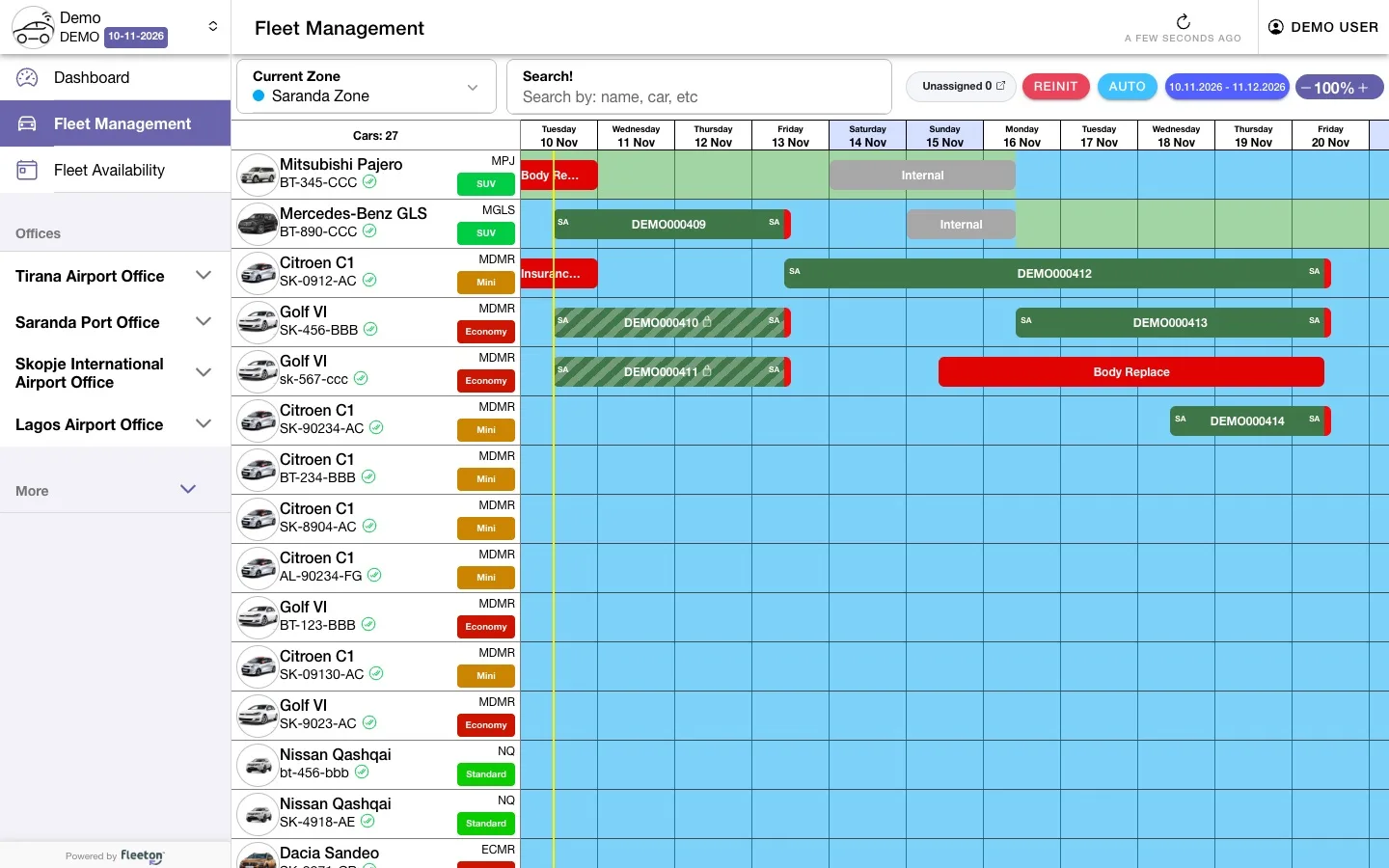
See where the cars are needed
Plan the fleet across branches before a booking is lost.
- Fleet availability for the next 14 days, by zone
- Daily, weekly and monthly totals
- Reservations by pick-up and drop-off location
- Live map of every car with Tracking
A one-way rental across branches
Bookings, cars and fees move between offices without phone calls.
Booking
The booking comes in for any office, from any channel.
 Booking Portal
 Frontdesk
Car from the zone
Staff pick a car from the zone fleet on the timeline.
- Frontdesk
Return elsewhere
The customer returns the car to another office and the one-way fee is charged.
- Frontdesk
 Manager
Numbers per branch
Revenue and fleet use, for each office and for the whole business.
- Manager
Works together with
Every FleetON product shares the same fleet, bookings and prices. A booking made in one shows up in all of them, with no re-typing.
Frontdesk
The daily workspace of your counter: bookings, handovers, returns and damage, on any device.
- Fleet timeline
- Digital signature on the contract
- Close the business day
Manager
Where you set fleet, prices, fees and rules once, for every branch.
- Rate diagnose
- Scheduled reports
- Roles and permissions
Tracking
GPS tracking inside FleetON: live map, zones, alerts and mileage.
- Live map, geofences and border alerts
- Trip history
- Mileage-based services
Multi-location questions
What rental companies ask before they switch. If your question is not here, we answer it in the meeting.
Can a car be returned to another branch?
Yes. One-way rentals are supported, with a one-way fee for each pair of locations.
Can each branch see only its own data?
Yes. Roles and permissions decide what each user and branch can see and change.
Can offices share cars?
Yes. Offices in the same zone share one fleet, and availability shows by zone.
Can each office close its own day?
Yes. Each office closes its own business day after checking its open bookings.
Can I compare branches?
Yes. Dashboards and reports show revenue and fleet use for each office and for the whole business.
What if the customer lands late?
The flight number is on the booking, and the out-of-hours fee you set for the office is charged automatically.
Can customers check in before they land?
Yes. With online pre-check-in, customers send their details before arrival, so the handover at the desk is faster.
Start with a meeting. Run FleetON free for 2 months.
Tell us about your fleet. If FleetON fits, you get the full system free for 2 months.